
- Select-PWSQL
- Get-PWDocumentsByGUIDs
- CheckIn-PWDocumentsOrFree
FUNCTION Definition
The following is the function wrapper which will contain the remainder of the code.FUNCTION Get-PWDocumentsInComingInGoingOutStatus { <# .Synopsis Returns documents in the 'Coming In' and/or 'Going Out' status. .DESCRIPTION Returns documents in the 'Coming In' and/or 'Going Out' status. These documents can be freed. Only returns documents more than one day old to ensure documents currently being transferred are not affected. .EXAMPLE Returns all documents in the 'Coming In' and/or 'Going Out' status. $docs = Get-PWDocumentsInComingInGoingOutStatus -Verbose .EXAMPLE Frees and returns all documents in the 'Coming In' and/or 'Going Out' status. $docs = Get-PWDocumentsInComingInGoingOutStatus -Free -Verbose .OUTPUTS Outputs an array of ProjectWise documents. #> [CmdletBinding()] param (...) # end param... BEGIN {...} # end BEGIN... PROCESS {...} # end PROCESS... END{...} # end END... } # end FUNCTION Get-PWDocumentsInComingInGoingOutStatus... Export-ModuleMember -Function Get-PWDocumentsInComingInGoingOutStatus
Parameters
First thing we need to do is create our parameter and value pairs. There is only one Switch parameter available for this function.[CmdletBinding()] param ( # When included, the documents will be freed. [Parameter()] [switch] $Free ) # end param...
Begin
I want to take a second and point out a couple of conventions that I use in my scripts. First, you may notice that I put a comment at the end of many of the blocks of code. Doing this makes it easier for me to determine where a block of code starts and ends. Comes in handy when troubleshooting a script. I also add text ([BEGIN], [PROCESS], [END]) in the output messages (Write-Verbose, Write-Warning, Write-Error) corresponding to the section of the script I am in. Again, this makes it obvious where something occurs within the script.BEGIN {
$CmdletName = $MyInvocation.MyCommand.Name
$Splat_Log = Get-Date
Write-Verbose -Message "[BEGIN] $Start - Entering '$CmdletName' Function..."
} # end BEGIN...
PROCESS
Now, we will proceed to the PROCESS code block. Here we will query for any documents with a status of “Coming In” or “Going Out”. We can then free them by including the Free switch parameter. I chose to loop through each document while freeing. You could do this in bulk if you chose by using: CheckIn-PWDocumentsOrFree -InputDocument $pwDoc -Free.PROCESS {
try {
$Status = "'CI', 'GO'"
$DateToSearch = (Get-Date).AddDays(-1)
$sql = "SELECT d.o_docguid AS GUID,
d.o_projectno AS ProjectID,
d.o_filename AS FILENAME,
d.o_dmsstatus AS STATUS,
d.o_dmsdate AS UPDATED,
d.o_dmsuserno AS OUTTO,
u.o_username AS USERNAME,
u.o_email AS EMAIL
FROM dms_doc d, dms_user u
WHERE o_dmsstatus IN ($Status)
AND d.o_dmsuserno = u.o_userno
AND d.o_dmsdate <= '$DateToSearch'"
if( -not ($sqlResults = Select-PWSQL $sql)){
throw "No data returned."
}
Write-Verbose -Message "[PROCESS] $($sqlResults.Rows.Count) documents returned."
if($Free){
$pwDocs = Get-PWDocumentsByGUIDs -DocumentGUIDs $sqlResults.GUID
Write-Verbose -Message "[PROCESS] $($pwDocs.Count) document objects obtained. Freeing."
foreach($pwDoc in $pwDocs){
CheckIn-PWDocumentsOrFree -InputDocument $pwDoc -Free
Write-Verbose -Message "[PROCESS] Freed '$($pwDoc.FullPath)' document."
}
}
Write-Output $sqlResults
} catch {
Write-Warning -Message $_
} # end try/catch...
} # end PROCESS...
END
Lastly, we will proceed to the END block of code.END{
$EndTime = Get-Date
Write-Verbose -Message "[END] It took $($EndTime - $StartTime) to complete the process."
Write-Verbose -Message "[END] $EndTime - Exiting '$CmdletName' Function..."
} #end END...
USING THE FUNCTION
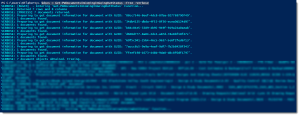
The following will demonstrate using the function. Here we will simply return all documents with the status of “Coming In” or “Going Out”.$docs = Get-PWDocumentsInComingInGoingOutStatus -Verbose
 Here we will free and return all documents with the status of “Coming In” or “Going Out”.
$docs = Get-PWDocumentsInComingInGoingOutStatus -Free -Verbose
Experiment with it and have fun. Hopefully, you find this useful. Please let me know if you have any questions or comments. If you like this post, please click the Like button at the bottom of the page.


